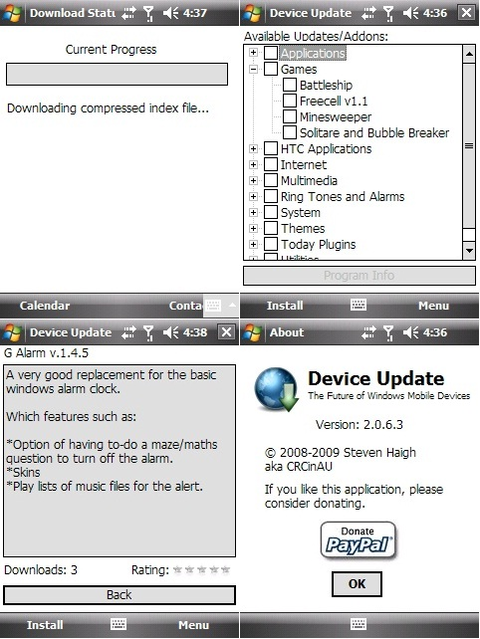
Device Update is an ‘appstore’ type application to automatically download and install from a list of selected applications.
Changes:
* Fixed bug causing Required Updates to not be Required.
* Added facility to auto-install applications after a hard reset or new ROM install.
* Added ‘My Devices’ option to register device with the new Users Interface web site under Menu -> My Devices
* Added functionality to check membership information from within DeviceUpdate under Menu -> My Devices
* Added option to force auto-install to run under Menu -> My Devices
* Added logic to identify devices even after a hard reset or new ROM install.
* Lots of code optimisation and rewrites.
Premise is that there are many backup utilities that will backup/restore either dirs or the whole ROM, but not just for a specific apps settings. There are many ways that dev could use to store their settings for a given app, but getting them all to do the same way is “difficult”. However, if program A had it’s settings in a settings.ini (or whatever name) and that specific file could be backed up and restored later after a hard reset or new ROM installed, it would make the flashing a ROM even easier since UC came out.
My idea is for an app that works sort of like AppToDate, in that it will parse a collection of ini files in a directory to determine what a given progam uses for it’s configuation (files or reg keys) and will backup/restore them.
Basically all that someone needs to do is:
– Extract the UMCe2.zip to a folder on their Storage Card
– Register Mortscript (just click on it once, from this point on you can just click on a script and it will run.)
– Place the INI files that define the files or keys of the app that you’d like to backup/restore into the Storage CardUCMe2ini folder. I have posted a small collection of some INI files as examples
– If you’d like startmenu shortcuts, I attached a few dummy.exe files that you can put into the UCMe2 folder so you can make shortcuts.
– Run the UCMe2_Backup and it will read every INI file in the ini folder and store the backup files in Storage CardUCMe2Backup
– Run the UCMe2_Restore and it will read every INI file in the ini folder are restore the backups
Feel free to create your own INI files and post them here for others to share
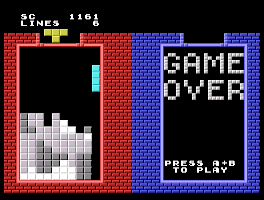
Yet another clone of the popular Russian block game. This one allows two players and has tighter play control than most Tetris brand games. Version 0.36 fixes some attract-mode bugs and makes a few behind-the-scenes improvements.
Release notes:
Version 0.36 fixes some attract-mode bugs and makes a few behind-the-scenes improvements.
Gig Getter allows you to enter a band’s MySpace ID and get a list of their upcoming gigs. This way you don’t have to wait for MySpace pages filled with images and videos to load. Simple enter a band’s MySpace name and the list of upcoming gigs will instantly load.
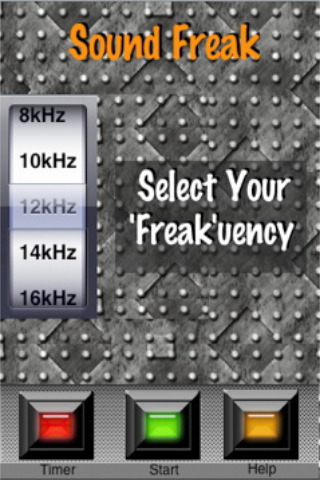
Sound Freak let’s you freak people with various high pitch, annoying sounds. Get your freak on in stealth mode cause Sound Freak shows a fake home screen with non-functional icons so it looks like you’re not even running an application.
Or you can select the browser button from the fake home screen and surf the net with the sound playing in the background. It’ll look like you’re checking mail while you’re secretly driving everyone around you crazy.
Receive streaming, real-time* quotes on your iPhone or iTouch! No sign up or logging in is required. Only Internet access is required. A quick and easy way to check your stocks on the run.
*All price data is provided by Google Inc. Any interruption to the Google service may cause this application to stop working. Also current real-time prices are only available certain stock exchanges e.g. NASDAQ and NYSE. You can read the full information at http://www.google.com/help/stock_disclaimer.html#realtime