MPlayer is a media player that supports a wide variety of formats. This port is currently in VERY EARLY stage.
Changes:
-added svenp’s libfat patches (better read speed on SD cards)
-added pause button (A button on the wiimote)
-disabled MPlayer’s error/status text during video playback
-file list now displays 20 files instead of 10
-improved audio playback code
The Homebrew Browser allows you to download the latest homebrew applications and games all through your Wii. You don’t need to take your SD card out. You don’t even need a computer! You can also delete homebrew you no longer want.
No more dead links, no more extracting files, no more finding out that the homebrew application doesn’t include an icon.png and meta.xml in the zip file!
Note: Not all applications/games are included yet. They will be added over time.
Gmu is a music player for the GP2X. Gmu supports Ogg Vorbis, MP3, Musepack, FLAC and various module formats (such as s3m, stm, it, etc.). It also includes a playlist and a file browser.
Features:
Supports Ogg Vorbis, MP3, Musepack (MPC), FLAC, various module formats (MOD, XM, IT, S3M, STM, …) and lots of ADLIB tracker formats
m3u playlist import/export
Random playback mode
file browser
playlist
cover viewer (Gmu supports jpg, png and bmp image files and cover images embedded into ID3v2 tags)
hold function (turns off display backlight for power saving)
Customizable key mappings and skin support
Gungnir learned how to use the PAlib library with the Nintendo DS and presents us his output after three days of coding.
It’s a clone of Breakout / Arkanoid featuring 40 levels. As you can guess three days are not enough to write a proper game, so it does not feature highscore, pause mode or save game – also the ball lacks proper angle behavior.
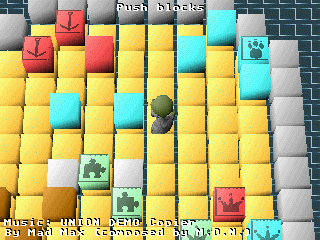
This Tetris game by Mia might freak out some of you out there. It’s using a realistic physics engine to drop the tiles, which makes you drive nuts after a while.
This is a high recommended download. – Tetris the different way!
This application allows you to read large Text (.txt,.text), Palm Doc (.pdb), Mobipocket (.pdb,.prc,.mobi), Plucker (.pdb), HTML (.htm,.html), and Fiction Book (.fb2) files quickly and efficiently on the iPhone/Touch. This application doesn’t have the fancy formatting of ruBooks or Books.app, but it can quickly load and display large text files that currently cause Books.app or other UI Text View/Web View based apps problems. If you want to load books quickly and read text, this may be the app for you.
Changes:
* Adds support for CHM, ZIP and RAR files. These files will be expanded into cache directories so you can navigate into them and open the files they contain. Cache directories can also be deleted.
* Improved formatting for eReader, Mobipocket, RTF, Palm Doc, Plucker, HTML, FB2, PDB, PRC, and Text files.
* Adds an option to automatically delete cache directories when you leave them*
* Adds an option for “File Scrolling”: Swipe left<->right to go to the next or previous file in the directory.
* Better file management including improved file ordering and updating after a delete
* Added an indicator to differentiate between opened and unopened files
* Split up the settings page into sub-pages
* New search options
* Minor bug fixes
SD Explorer is an SD card file manager with the following possibilities:
* create directories
* delete directories recursively
* create empty files
* delete files
* move and rename dirs and files

.png)
.jpg)
.png)
.png)