News

Snes9x EX v1.4.2 (SNES emu for Android)

Emulator for the SNES/Super Famicom based on Snes9x 1.43. Snes9x EX is properly licensed and the author will also answer questions related to this app on the official Snes9x message boards.

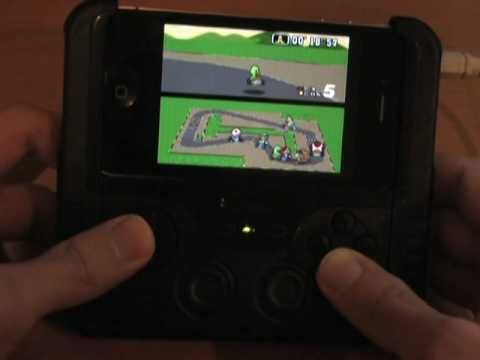
Snes9x EX for iOS preview using the iControlPad and Wiimotes

Features:

* Accurate emulation and similar compatibility to Snes9x 1.43 on the PC
* Full quality 44KHz stereo sound
* Supports games in .smc, .sfc, .fig, and .1 formats, optionally in .zip files
* Super Scope support, touch screen to fire, touch off-screen to push Cursor button
* Mouse Support, see Snes9x EX section on website for instructions
* Configurable on-screen multi-touch controls & keyboard support (needs Android 2.1+ for multi-touch, up to 3 touches supported at once)
* Multiplayer-capable Wiimote + Classic Controller and iControlPad support (no need to purchase a separate app)
* Backup memory and save state support, auto-save and ten manual slots for save states. State files from Snes9x 1.43 should work on Snes9x EX and vice-versa.
* Portrait/Landscape auto-orientation support

Changes:

* Adjusted sound pitch and interpolation enabled
* Fix a crash setting the on-screen D-Pad off with L/R on it
* Support all possible Android key maps. Note: you must re-configure your keys due to config file changes
* Pause game if active behind another window
* Auto save-states can be saved after 15/30mins
* GPU Sync Hack option to work around broken OpenGL drivers on some phones. Only enable if you experience OS lock-ups
* Increased the bounding box size for the fast-forward on-screen control

Thanks to http://www.aep-emu.de/PNphpBB2-file-viewtopic-t-17472.html for the news.

By · 0 comments
fMSX v3.5.7 (MSX emu for Android)

fMSX is an MSX home computer emulator. It will run software written for MSX, MSX2, and MSX2+ computers. Before running fMSX, make sure you place the following MSX system ROMs onto your SD card: MSX.ROM MSX2.ROM MSX2EXT.ROM DISK.ROM.

Changes:

* Unified framework with other touch based platforms.
* Added option to save screenshots (enabled by default).
* Added option to record music to a MIDI file.
* Added accelerometer support (please, test).
* Bigger, better spaced virtual keyboard and on-screen corner buttons.
* Some on-screen cues shifted to the right for better visibility.
* Sony Xperia Play buttons are fully supported now (please, test).
* Fixed sync frequency computation.
* Fixed TV scanlines effect.

By · 0 comments
They Do Not Die 2 v0.3 (PS3 Game)

They Do Not Die 2 by ThatOtherDev is a successor of “They Do Not Die”. A top-down Zombie shooter with simple graphics.

Changes:

* You can save the game at any time and obviously also load that save.
* The on screen text now scales so it no longer fills an overly large portion of the screen at low resolution.
* In addition to your gun you now have a rocket launcher.
* Rockets explode when they are shot, hit a person or hit a wall.
* Explosions destroy walls, push people back and hurt people.
* You can now run which consumes energy.
* Shooting momentarily prevents energy from regenerating.
* If you try to consume energy when you have none left then you will instead lose health.
* The speed that your health regenerates at directly correlates to how much energy you have.
* The screen (specifically the edges of it) turn red when you are low on health.
* The world is more densely populated.

By · 0 comments
MicahMan 7 (23-08-2011) (NDS Game)

“MicahMan, we have a problem!” – Join MicahMan on his newest adventure, to destroy Dragno the fiery dragon. With the help of E.T.H.A.N. MicahMan must fight through waves of Blobs, and Killer robots. Press A to shoot MicahMan’s Energy Pistol, but you must catch the energy ball whenever it bounces back to use it again. Press B to use MicahMan’s Plasma Beam, grab a battery to refill your energy and get another energy ball if you’ve lost it. Press A to proceed through the cut-scenes.

Thanks to http://www.nintendomax.com/viewtopic.php?t=13759&f=19 for the news.

By · 0 comments
Comix v4.0.6.9 (Pandora Application Port)

Comix is a user-friendly, customizable image viewer. It is specifically designed to handle comic books, but also serves as a generic viewer. It reads images in ZIP, RAR or tar archives (also gzip or bzip2 compressed) as well as plain image files. It is written in Python and uses GTK+ through the PyGTK bindings.

By · 0 comments