WiFi Chat v0.18a (NDS Application)

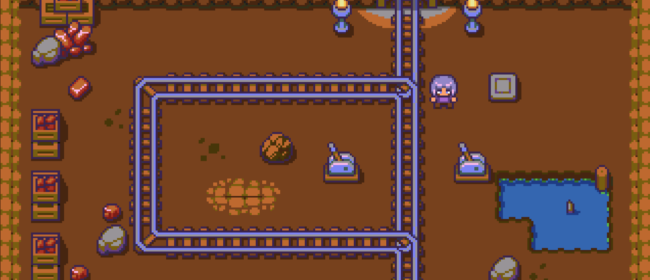
This is just a prerelease version of what will be a complete DS chat program. Currently you can draw messages on the screen and send them to the computer. The server could already support multiple users so there will be a next version with real chat functionality. also the keyboard will be enabled.

Changes: Using wifi connection settings from the firmware, if you set themproperly it should be able to use them (set static IP, gateway, nowep…).The IP address of the server still has to come from the config file, butnow the new FAT driver should support more cards 🙂 Run thw wifitransfer app 1st to configure!Some improvements here and there, better protocol, fast transfers (try R button and hold it pressed :)L goes back the loader on GBAMPWebcam feature (I think X or Y): try to set a webcam image server likedorgem on port 8080 of the server first 🙂 and hold X[older stuff]This is just a prerelease version of what will be a complete DS chatprogram :).There is no network configuration still, I’m working on getting thesettings from the firmware. You have to run first the transfer programwich creates the appropriate config file.Currently you can draw messages on the screen and send them to thecomputer. The server could already support multiple users so there willbe a next version with real chat functionality. also the keyboard willbe enabled.If you run the transfer server as well, try clicking the L button andsee what happens 🙂 (I was starting too to work on a vnc like app, butthat could be webcam support for the chat!) If you press start it willtry to download test.nds and execute it (testing…)*java server*On the server side, you should FIRST run the java serverIF you run Java 1.4 and for some reason can’t update to version 1.5, youcan try using transferServerJ14.jar that is backported to java 1.4 (nottested but should work).You can edit server.bat and include your favorite options. java -jar chatServer.jar [-port portNumber] [-delay sendDelay]*nds file*On the DS side, you start the nds file with your preferred method. OnGBAMP, i suggest fine from Sata (very fast) of Migty Max loader.

http://bafio.drunkencoders.com/

By with 0 comments
ODE Cube (NDS misc)

Release notes:

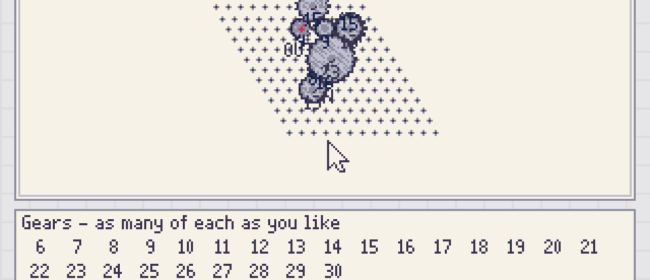
Ever thought about using your Nintendo DS app with a physics lib? The last few days I’ve tried to get ODE (www.ode.org, the only open source physics lib I know of) working, and here’s the result. Move around with the arrows, L, R and use ‘A’ to add a new box and ‘B’ to make them all spin. As you can see, after about 10 boxes in motions, the DS really starts struggeling. After a while it completely dies. Well, it’s fun to try anyway. Now, the demo isn’t very complexed, we’re not talking trimesh-to-trimesh collisions here. Still only with some boxes and some border planes, it gives up. First I thought that ODE probably isn’t optimized for handheld devices or low-memory computers. Secondly, I used a wrapper lib called OPAL (opal.sf.net) to make things easier for me. This adds another layer which surely slows down the simulation somewhat. Also with everything in C++ would add a layer of complexity compared to if it was in just C. But, I think the main reason is just that the NDS simply isn’t powerful enough for these types of calculations. Instead, for physics, it would be better to write a specialized engine instead of using a general one like this.

http://forum.gbadev.org/viewtopic.php?t=8302

By with 0 comments
WiFi Transfer v0.98b (NDS Application)

This application allows you to transfer a file from a computer server (the server application is written in java) to the DS and execute the application straight away. Release notes:

Version 0.98b

This version has no real changes to the application itself, but is now using the Fat library from Sata, that should provide access to scsd and m3sd users as well.

A WARNING: I have tried it myself on GBAMP nad seems to work fine there, but I can’t say anything about the results on the other cards, so I suggest making a backup copy (at least) of the contents before using it. Wific2 has not been updated jet…

http://bafio.drunkencoders.com/

By with 0 comments
Sokoban (PSP Game)

Image provided by: FabreFabre has released a”Sokoban”game with currently 9 levels. Everything is”Zelda”themed.http://forums.qj.net/showthread.php?t=35035

By with 0 comments
Lua Player v0.17 dk1 (PSP Application)

This is an unofficial build of Lua Player v0.17. Only change is that CPU speed is now set at 333mhz for greatly improved performance. Lua is a scripting/coding language.http://forums.ps2dev.org/viewtopic.php?t=4827

By with 0 comments
PSPRadio v0.38 Pre 2 (PSP Application)

PSPRadio is an internet radio streaming client for the PSP. Changes:

0.38-Pre2 (r744) (2006-01-27)

NEW FEATURES

  • (sandberg) Core: Added support for logging via WiFi instead of using the memorystick. (r729)
  • (sandberg) External: Added a simple server application which can receive the log-entries via WiFi on the PC. (r729)
  • (sandberg) 3DUI: A new popup dialog has been added to show error messages from PSPRadio. (r732)
  • (raf) Core: Next/Prev via HPRM are now global (r733)
  • (raf) TextUI: Updated skins from Semtex199 (r733)
  • (raf) Core: Added new playmode”GLOBAL”. When on this mode, when the last track of an album finishes, the player goes to the first track of the next album. (r734)
  • (raf) Core: Updated SHOUTcast db.xml to lastest as of 1-26-06 (r736)
  • (raf) Core: Added support for ID3 tags (v1 and v2) (r738/739)
  • (raf) Core: Made Playback mode a config item in PSPRadio.cfg. Now its saved with the other config options.Make sure you update your PSPRadio.cfg for this to work. (r744)

    BUG FIXES

  • (sandberg) 3DUI: The active item are now default selected when entering the option screen. (r728)
  • (sandberg) 3DUI: The program version is now only shown on the option screen when using the 3D UI (r727)
  • (sandberg) 3DUI: Fixed a couple of bug which caused the UI to read random data. (r730)
  • (sandberg) Core: Added check for buffer event, so they are only sent when there are changes. (r731)
  • (raf) Core: Fixed bug where HPRM would crash the localfiles screen (r733)
  • (raf) TextUI: Corrected problem where 12AM was being displayed as 00AM (r734)
  • http://pspradio.berlios.de/phpBB/viewtopic.php?t=252

    By with 0 comments
    CloneKeen32 (27-01-2006) (GP32 Port misc)

    CloneKeen32 is a port of Clonekeen, an engine to interpret Commander Keen Part 1. You’ll require the original PC game files to play.http://www.gp32spain.com/foros/showthread.php?t=27394

    By with 0 comments
    Sanqua Experience Issue #15 (PSP misc)

    Sanqua Experience is a french magazine for the PSP. Content (french description):

    Sortie de Sanqua Experience 15 en 62 pages. Dans le tas, vous trouverez une s?ce de Q&A avec les deux boss de Bioware sur leur pr?nt et leurs plans futurs. Jika vous parle aussi de SONIC RUSH (ds), Snape1212 de CONDEMNED (xbox360) et Ptitmec revient enfin avec AGE OF EMPIRES III (pc) dans les paluches. El Fouine est all?oir UN TICKET POUR L’ESPACE alors que SILENTZEN a opt?our un film plus intello (pas dur!) avec LAYER CAKE. Notez enfin que Kylian nous a gratifi?’un FAUSSE ROUTE, c’est devenu rare, ?m?te d’?e signal?

    http://www.sanqualis.com/index.php

    By with 0 comments
    Doom-PSP v0.05 Plus (PSP Game Port)

    Greg Berkhof has been wanting to release his modified version of DOOM-PSP for a while now, but every time he is about to do so someone else releases their own version. Changes:

  • 1. Cheats – by holding down start and pressing either x, o, square, and triangle, you can activate god, all weapons, level warp, and full map.
  • 2. Auto-run – by default your marine will now run without having to hold down the run button. When you do hold down the run button, you will walk.
  • 3. Map zoom – pressing up or down on the dpad/nub allows you to zoom in and out in the automap.
  • 4 Gamma – by default the current gamma setting is 3, instead of 0. This brightens the game consideratly, however, may cause some washout.
  • http://dl.qj.net/…

    By with 0 comments
    PSP Screen Capture v0.02a (PSP Application)

    Nekokabu has release an update to his screen capture program for the PSP. It allows you to take screencaptures in almost any situation while using your PSP.http://nekokabu.s7.xrea.com/

    By with 0 comments