News

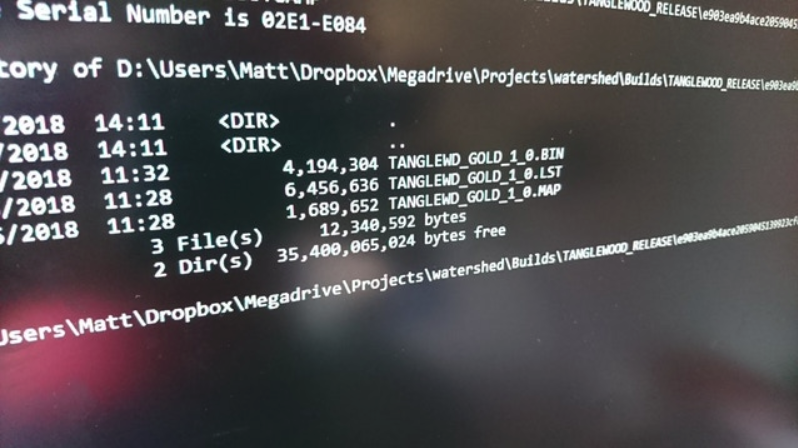
Tanglewood v2018.06.06 (WIP) (Genesis Game)

Tanglewood finally got a GOLD Client!
Quote:

Hello, friends!

A very exciting update – TANGLEWOOD has been signed off by our QA teams and we have our GOLD 1.0 build!

What happens next?

PCB Burning

The final ROM is now with our trusty Canadian engineers at db electronics, who are making last minute arrangements with the factory handling our PCB manufacture. We’re awaiting details of the first control batch, turnaround times, and some details we’ll need to test the boards when they arrive here.

Cartridge Assembly

In the meantime, it’s all hands on deck to finish the last few bits needed for assembling the carts. A lot of exciting boxes have started arriving with power tools, label printers, barcode scanners, packaging gear, work surfaces, and premium coffee, ready to get cracking with our first batch. We’re going to be trialling the first lot in my home to see how efficiently we can work with the space available, but we have plans to rent a small industrial unit nearby if we run out of storage space.

PC/Mac/Linux Harness

We’re aiming to have the PC, Mac, and Linux emulated versions ready to roll on our Steam and itch.io pages very shortly after the first cartridges are shipped, which means getting our harness emulator up to scratch. We trialled this back during the Kickstarter, but the game has since been through some significant changes, so our emulator needed a few updates to be able to handle the game smoothly again. Thankfully we managed to crack most of it over the weekend, but it still needs the same care and attention from QA as the game itself – there are a lot of machine configurations to cater for, and a lot of controller types!

We also need to integrate some Steam stuff like cloud saves, rich presence, and achievements, all of which involve some minor changes to probe the game’s memory as it’s running. Nothing tricky, just tedious and time consuming.

Press, Social Media, Streamers, Let’s Players

We’ve got a lot of work to do to prepare for our launch – contacting press, updating our social media accounts, and catching the attention of Twitch and YouTube streamers to try and gain some Let’s Play coverage. We’ll also be teasing some of the soundtrack leading up to release.
Video: NES Programming #36 – Getting Basic Palette Loading Working

Michael Chiaramonte shows us more NES Programming.

Quote:

In this episode we re-visit the level loading code and handle the simplest case of up to 4 palettes and loading the initial attributes for the first fully-loaded screen. In Thursday’s stream, I’ll tackle loading the attributes in real-time as we update the nametable rows. Thanks for watching! See you Thursday.

EDuke32 v1.2 (Nintendo Switch Game Port)

EDuke32 is a port of the classic 3D Realms game Duke Nukem 3D (or Duke3D for short) to several OS’es. EDuke32 adds many new convenient features and modernizations for casual players and many editing features and scripting extensions for mod authors. Ported to Nintendo Switch by cpasjuste.

How to install:

* copy “eduke32” folder to “/switch” folder
* copy “DUKE3D.GRP” and “DUKE.RTS” to “/switch/eduke32” folder
* enjoy!

NX-Shell v1.01 (Beta) (Nintendo Switch Application)

NX-Shell is a multipurpose open source file manager for Nintendo Switch by Joel.

Features:

* Added a menu bar – Use the Y button to access it. (Can only open settings for now, so the settings icon stays highlighted. The animation is something I tend to improve upon in later releases)
* Added dark theme mode. (Can be enabled/disabled in settings)
* Added .ZIP extraction. (Press A on a .zip file)
* Added Sorting options under settings. (Sort by alphabetical – ascending and descending order, by date (currently doesn’t work properly), by size – smallest and largest).
* Add support for GIF/BMP images in image viewer. (GIFs will be displayed as a static image)

Improvements and Fixes:

* Progress bar is now properly displayed for copying/moving/extracting files.
* Improved many textures as well as some internal improvements in handling textures and some fixes with font alignment in certain areas.
* Fixed copy/move being enabled at the same time. If you press B in the options dialog it will cancel the item that is currently in the copy/move list. Instead, X should be used to open/close the file options dialog. The row/column will also reset when the B key is pressed.
* Freed some textures that weren’t previously freed, also free entries once we are done using them.