yackom has released an early version of DSQuake, along with a video hosted on YouTube. You can find the link to the video on his page as we don’t integrate those.
It’s been a long while since an update. I’ve gotten quite a few emails suggesting that the project was dead but no- my intention in going public before was only to find help in developing on this project. I found a person that has been a great help in developing DSQuake, The Lord of the Pings (LOTP), fitting as he did most of the networking code.
With that said I would like to announce a pre-release of DSQuake available to download here. Since this is a pre-release it isn’t in the full state that we wish to have it, things like better hardware support, graphics glitches, missing dynamic lights, better sound and possibly music and of course better optimized code for the DS.
The shareware of Quake is currently all we support. Which isn’t so much of a technical limitation but because the optimization for the DS of the media in the Quake Pak files isn’t fully automated just yet and without the tools we cannot obviously support the full game because distributing the full game isn’t an option.
DSQuake also currently only supports the flashcards that work in the GBA slot of the DS and emulate a GBA cartridge, the Supercard, M3 and so on or are of the older style Flash Linker types. It currently doesn’t support any of the fat only supported devices or any DS slot 1 devices. Sorry to the ones with hardware that isn’t supported, we may be able to support those in the future.
There is another port of Quake to the DS being run by a friend Simon Hall which is a completely separate effort and our projects don’t share some of the same limitations as mine so please check it out!
Basic sound works and now textures work and the game does looks quite good now and the frame rate is quite playable but it does get somewhat choppy in some sections of the game.
Networking is in fact working for those who want to deathmatch but only in client mode we haven’t got a DS to connect to a DS in network mode yet, but connecting two or more DS to a PC host works fine. It works great locally but the original quake protocol wasn’t designed to work behind NATs which are very common these days so LOTP to developed a tunnel program which can sit between DSQuake and the Quake server. So playing on the internet is also possible with this program. It needs to be run on both client and server side so look into the .bat files for more information.
When starting the game you can press up and down to select the level you wish to play or watch the demos, and press start to make the selection. The controls for the game are the touch screen looks around like a mouse, shooting done with the L button, and jump by either double tapping on the screen or pressing R. Changing weapons is done on the very basic HUD we have now on the top of the bottom screen Pressing the weapon number switches to that weapon. To network or for other reasons to operate the game by the text console is done by Hitting select at the start of the game, but make sure to have a wifi connection configured with the DS, then you can telnet into the DS and operate the Quake command console by doing things like ‘connect x.x.x.x’ to connect to an ip address.
Thanks everyone and I hope you enjoy the port so far.
-john
http://dsquake.blogspot.com/
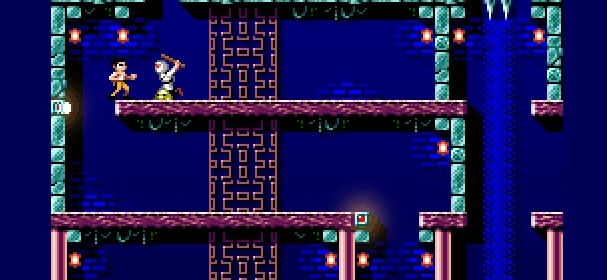
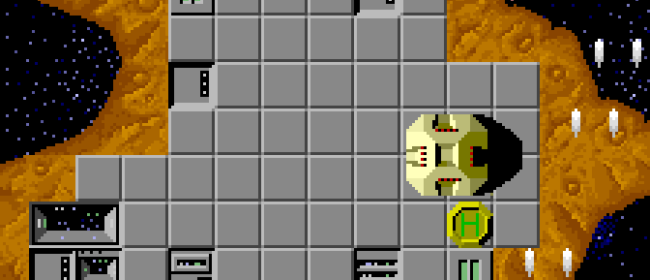
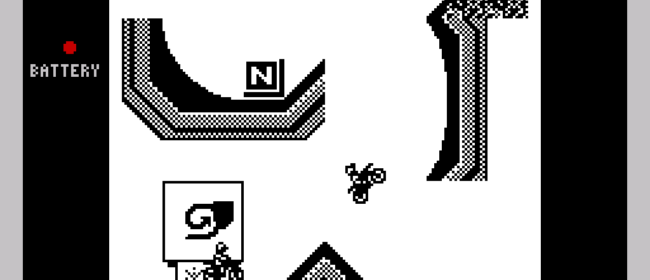
The secret has been uncovered now – Magic Team is working on a remake of Rick Dangerous 2.
.gif)
http://www.playeradvance.org/forum/showthread.php?t=6157
If you can read this, congratulations! You seem to be privileged enough to recieve the brandnew RSS feed from the to be soon reborn PDRoms.
PDRoms wont be back online as webpage for another while, _but_ with this feed you should recieve regular news again, hopefully in the usual quality and speed. To mention it again: Following any links to pdroms.org will NOT work yet 🙂
Kudos to celeth, who is coding his ass off! 😉
We are also looking for three reliable beta tester, more information at the PDRoms Webboard located at http://www.pdroms.de/phpbb
Or you can visit us at EFNET #pdroms, but don’t expect a very talk-active channel 😉
On a sidenote: The new PDR will allow posting of approved members, coders are welcome to join when the time has come and spread their news directly to a hughe audience without delay. If you want to know more about this, please try to catch me either on the webboard or on EFNET. I also do have ICQ, AIM, Gadu-Gadu, MSN, Yahoo Messenger and Jabber on request.
http://www.pdroms.org/feeds/news.xml
Magic Team (Gouky & Foxy) have unveiled their new secret project, but in fact it still remains a secret project.
.gif)
Happy guessing what it could be 🙂
http://www.playeradvance.org/forum/showthread.php?t=6157
Gouky has just updated his game once again two hours ago. This version fixes a scrolling bug and two more bugs.
.gif)
http://www.playeradvance.org/forum/showthread.php?t=6138
Added Mar 15, 2007, Under:
GP2x
gpSP2X is an official GP2X port of gpSP, a GBA emulator written from scratch by Exophase. But it’s more than just a port, as zodttd has tweaked it specifically for the GP2X with features such as overclocking the CPU, RAM, and LCD tweaks.
http://www.gp32x.com/board/index.php?showtopic=35942
Added Mar 15, 2007, Under:
GP2x
GReader2X aims to be a highly configurable text reader for the GP2x console.
.jpg)
It allows you to set the background and foreground colours and set the keys to use. It allows you to use any truetype font that you care to install on the GP2x as well as setting the font size and normal/bold attributes.
It correctly wraps text so that words are not broken at the right margin. Note: it may be necessary to modify Gutenberg texts to remove the hard return at the end of each line to get the best results.
GReader2X will remember your position in each document and will automatically go to that position when the document is opened. Further, if you exit Greader2X with a document displayed, the same document will be displayed when you next run GReader2X.
http://archive.gp2x.de/cgi-bin/cfiles.cgi?0,0,0,0,8,2080
Added Mar 15, 2007, Under:
GP2x
River Crossing is designed a classical Game & Watch type game. As the game already tells, you have to try to cross a river. The game has been coded by Dr_Ian.
.png)
http://archive.gp2x.de/cgi-bin/cfiles.cgi?0,0,0,0,37,2081
Added Mar 15, 2007, Under:
GP2x
GP2XMB is an alternative launcher for the GP2X, with the same visual layout as the Cross Media Bar.
Cross Media Bar officially abbreviated as XMB, is a GUI system developed by Sony. It was originally used in the PSX media center as the user interface. The interface features icons, which are spread horizontally across the screen. Navigation moves the icons, instead of a cursor. These icons are used as categories to organize the options available to the user. When an icon is selected on the horizontal bar, several more appear vertically, above and below it (selectable by the up and down directions on a directional pad). The Cross Media Bar is used as the default interface on both the PlayStation Portable and the PlayStation 3.
Description taken from Wikipedia.
http://home.gna.org/gp2xmb/index.html
Natrium42 posted schematics, pictures and brief instructions for connecting MIDI input and output to DS to the DSerial Wiki. MIDI output is very easy, because it requires no components besides wire and a 5-pin DIN connector. MIDI input, on the other hand, requires a 3.3V optocoupler because MIDI uses a current loop to prevent introduction of noise.
.jpg)
http://natrium42.com/blog/?p=48
Page 2,608 of 3,085« First«...102030...2,6062,6072,6082,6092,610...2,6202,6302,640...»Last »